A Clearer View
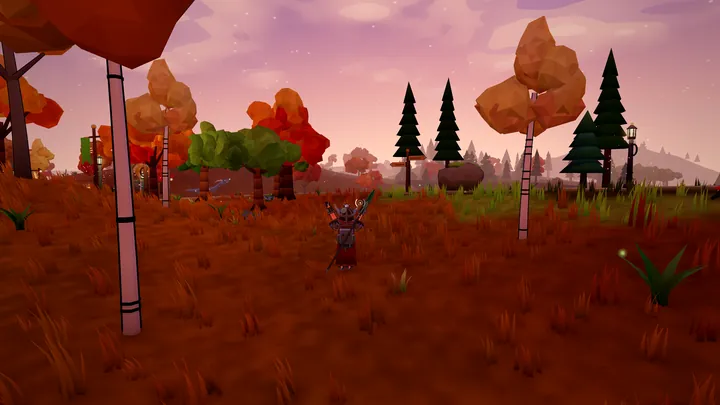
The whole interface has been redone to get out of your way: less clutter, fewer words and more of the world on screen. Nothing you could do before has gone, though a few things have moved.
- One calm, dark look. Every window, from the satchel and shops to conversations and settings, shares the same slim style. Your quest list, buffs, party and chat sit straight on the world with a soft shadow instead of boxes.
- The HUD steps back when you don't need it. Health, stamina and the rest fade when you're out of combat and at full health, and come straight back when something happens. They also step aside while you talk to someone, shop or craft. In Edit HUD (Shift+F9 or the Esc menu) you can set any element to Fade, Always or Off, hide it in combat, move it or resize it. Hover any name to see what it does.
- A lighter hotbar. Slots 1 to 8 sit on their own, with health and stamina bars beside them. Empty slots only appear while you're placing something. Your mouse attacks and dodge live on their keys now, and your crosshair shows their state: the right arc is your guard meter when you carry a shield. A second hotbar row is in Edit HUD if you want it.
- The crosshair tells you more. A small ? replaces it when your cursor is free, and the "Talk to" or "Gather" prompt sits right beside it with its key.
- One menu button. The grid at the top right is now Satchel, Gear, Journal and Map, each with its key, plus a menu with everything else. The satchel shows how much space you have left.
- Herald's Ledger is one click away, at the top right and in the Esc menu, with a gold dot the moment you can vote again.
- Quests at a glance. The tracker shows each quest's next steps with counts and a small compass pointing the way. It scrolls when you follow lots of quests. Bounty contracts now have their own tracker that counts your kills.
- Better tooltips. Items show their tier, every stat with arrows against what you're wearing, and their coin value. Gear compares with what you wear straight away, and Shift shows more on both cards.
- Gear & Stats in one view. Your character stands in the middle with your gear on both sides, and every stat is always visible on the right. Mounts show their speed.
- A new crafting window. Recipes are sorted by type (Weapons, Plate, Leather, Warhide and more) and by tier. A Ready filter shows what you can make right now, each material shows how many you have, and missing materials say where to find them. The Craft button never scrolls away.
- Banks remember their place. Right-click a bank slot to lock it in place or keep it as a placeholder, and coins always go back to their own slot.
- Level ups feel like level ups. A golden burst marks every new level, with something bigger at milestones and when you master a skill.
- Easier to learn. The opening tutorial now also shows you how to zoom, use your spellbook, put food and abilities on your hotbar, and keep a window open while you move.
- Windows behave. Escape closes any window or menu, buy and craft buttons always stay in view, the shop can be resized, and the pin in a window's header keeps it open while you run around.
- Smaller touches. Chat lines keep their channel colours, the camera starts a little closer, carter posts and raider posts appear on your map once you've found them, the minimap icons are easier to tell apart, and your own damage numbers stand out from other players'.